 SamI want my agents to know what I decided in my chats.
Give your agents the same memory as your chats.
Your agents work on their own, but they don’t know what you decided in your chats, and you don’t see what they learn. This page shows how they share one memory with you.
Why it happens
Agents that run on their own, on Hermes or OpenClaw, keep a memory of their own. What you decide in a chat never reaches them, and what they learn, you never see.
- An agent on a schedule keeps its own memory, apart from your chats.
- What you decide in a chat never reaches it unless you write it into its setup.
- What it learns sits in its own files and logs, which you rarely open.
How memex fixes it
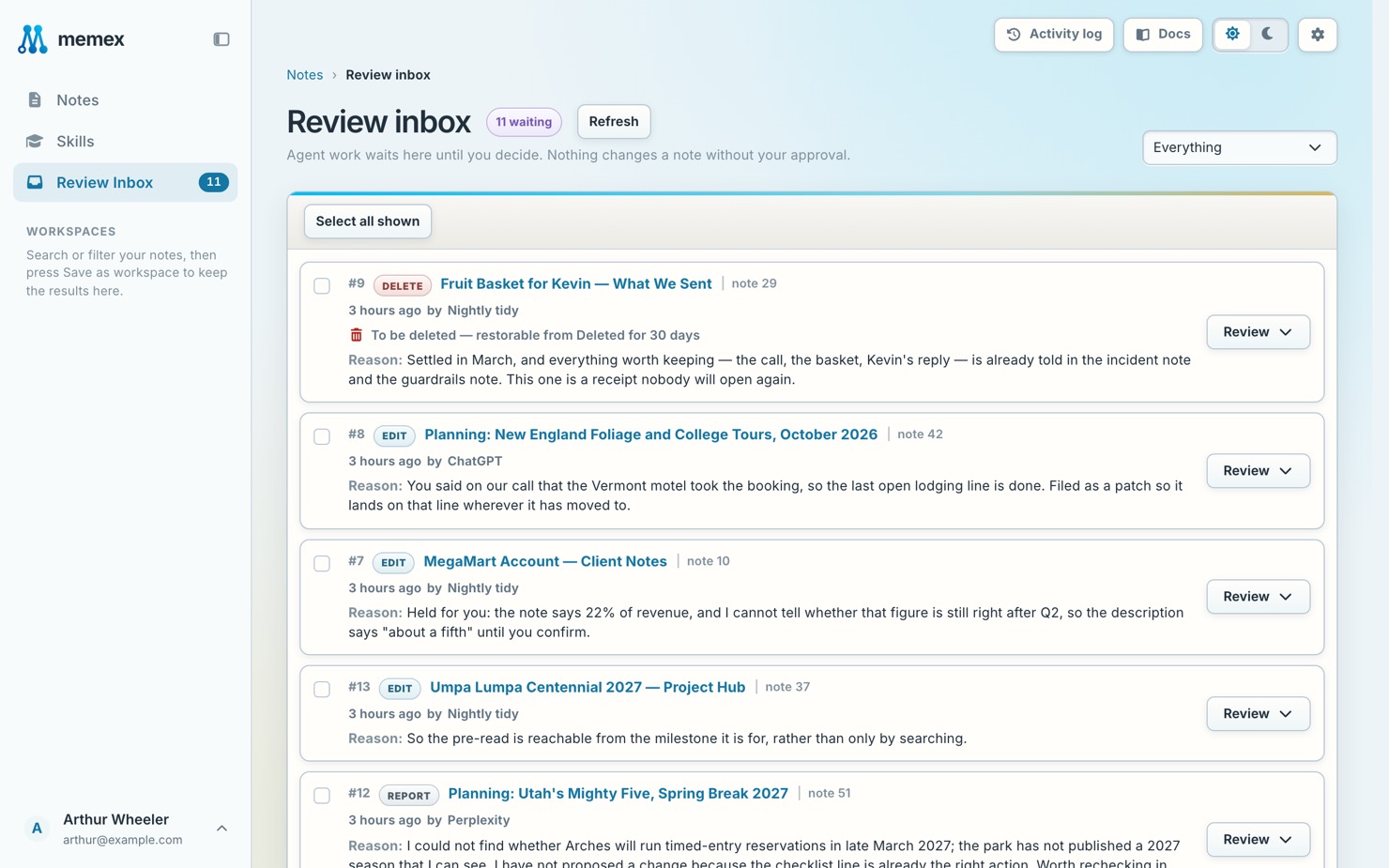
Connect your agents to memex with a key. They read the notes your chats wrote, and what they write lands in memex where you can read it. By default it waits for your OK, and every change shows in the activity log.
Fix it in three steps
- Create a keyIn memex, open Settings › Assistants › Connect an assistant › Other, name the connection after your agent and press Create token.
- Add memex to the agentHermes, OpenClaw and agents of your own add memex as an MCP server and send the token with every request.
- Review what it doesBy default its writes wait in Review Inbox, and every change shows in the Activity log with the agent’s name.
In memex
An example
How it goes for Sam
- Monday
Sam runs a small online shop and sets a rule with ChatGPT: any supplier quote above $2,000 needs Sam’s call.
Save my supplier pricing rule to memex. - Monday evening
Sam connects a Hermes agent to memex with its own key. The agent reads the rule like any other note.
Check memex for my pricing rule before you answer suppliers. - Tuesday morning
Overnight the agent read two supplier replies and filed a note, which waits in Review Inbox.
What did my agent do overnight? - Tuesday, after coffee
Sam approves the agent’s note and answers both suppliers from the same rule.
Draft replies to both suppliers using my pricing rule.
What it looks like
What did my agent do overnight?
 Read from memex · Supplier follow-ups
Read next
Can an agent delete my notes?
Not without you. Deletes and merges wait for your approval, whatever role the agent has.
Don’t take our word for it. Ask your AI.
I want my agents to know what I decided in my chats. Read https://memex.tools/llms-full.txt, the full description and documentation of memex.tools. Then tell me plainly whether memex would help with this, or whether what I already have is enough, and name one case where it wouldn’t fit. I’ll have follow-up questions.
 Ask ChatGPT
 Ask Claude