 TomI keep typing the same instructions, and you still don’t do it the same way twice.
Write your instructions once, for every AI you use.
You explain the same task to your AI again and again, and still get a different result. This page shows how a skill keeps the instructions once, for every AI you use.
Why it happens
Custom instructions are short, they live inside one app, and an AI applies them loosely. Anything longer, like how you want a report laid out or the steps of a weekly task, you end up typing again.
- Custom instructions are short by design, so a long how-to doesn’t fit.
- They apply to every chat, whether or not they fit the task in front of you.
- They live in one app’s settings, and another AI never sees them.
How memex fixes it
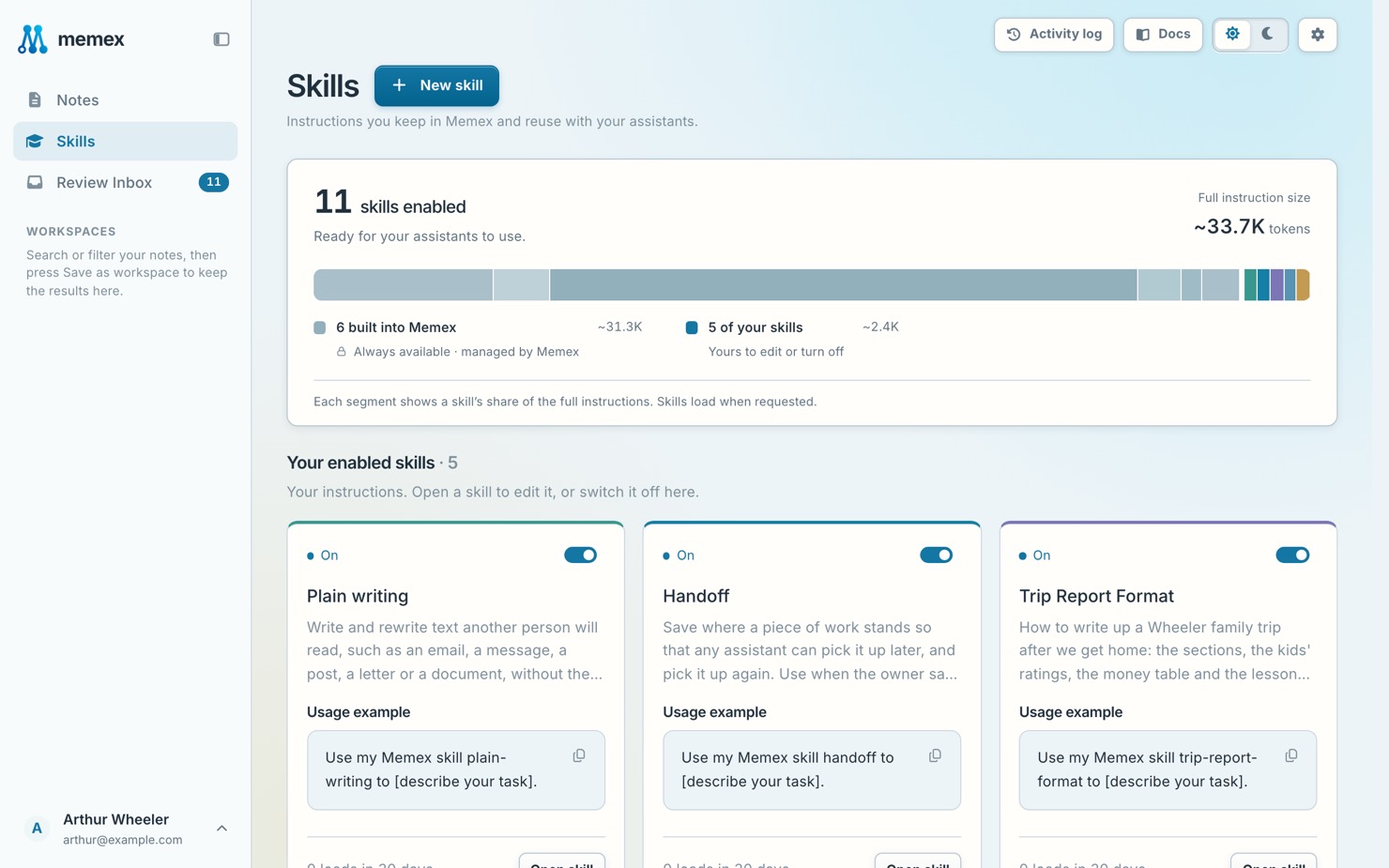
Save how you want a task done as a skill: the steps, the format, what to check. Every AI you connect sees your list of skills, and opens the one the task needs or the one you name. Change the skill once, and every AI gets the new version.
Fix it in three steps
- Ask for a skillTell your AI: Make me a memex skill for my weekly report. It proposes one, and you approve it in Review Inbox.
- Check it on SkillsOpen it on Skills to read it, switch it on or off, or keep it from some connections.
- Use it anywhereSay “use my weekly report skill”, or let your AI open it when the task matches, in ChatGPT, Claude or any AI you connect.
In memex
An example
How it goes for Tom
- Friday
Every Friday Tom writes the same sales summary for the team manager, typing the same instructions each time.
Make me a memex skill for my Friday sales summary: three headline numbers, what changed since last week, then the risks. - Later that day
Tom approves the skill in Review Inbox and uses it straight away.
Use my Friday sales skill on these numbers. - Two weeks later
The manager asks for a short note under each chart. The change to the skill waits for Tom’s OK, as every skill change does.
Add a one-line description under each chart to my Friday sales skill. - Sunday evening
Preparing Monday at home, in another AI, the summary comes out the same way.
Use my Friday sales skill for last week’s numbers.
What it looks like
Use my weekly report skill for this week’s numbers.
 Loaded from memex · Skill: Weekly report
Read next
Will every AI use my skill?
Every AI you connect sees your list of skills and opens one when the task matches, or when you name it. You can keep a skill from some connections on its page.
Don’t take our word for it. Ask your AI.
I keep typing the same instructions, and you still don’t do it the same way twice. Read https://memex.tools/llms-full.txt, the full description and documentation of memex.tools. Then tell me plainly whether memex would help with this, or whether what I already have is enough, and name one case where it wouldn’t fit. I’ll have follow-up questions.
 Ask ChatGPT
 Ask Claude