 DanielI’m switching between ChatGPT and Claude, and I don’t want to lose what we’ve built up.
Switch AI without starting over.
You’ve built up months of context in one AI and want to try another, or use both. This page shows how both can work from the same memory.
Why it happens
Each AI keeps its memory inside its own app. An import tool copies it across once, and from the next chat on, the two drift apart. Move back, or use both, and you’re explaining yourself again.
- Each AI keeps its memory inside its own app, where the other can’t read it.
- An import copies memory across once; after that, each one learns on its own.
- Projects, files and long chats stay behind in the app you started them in.
How memex fixes it
Connect both to the same memex. They read and write the same notes, so whatever one saves, the other can read. Nothing to export or import, and you never have to choose: keep using both.
Fix it in three steps
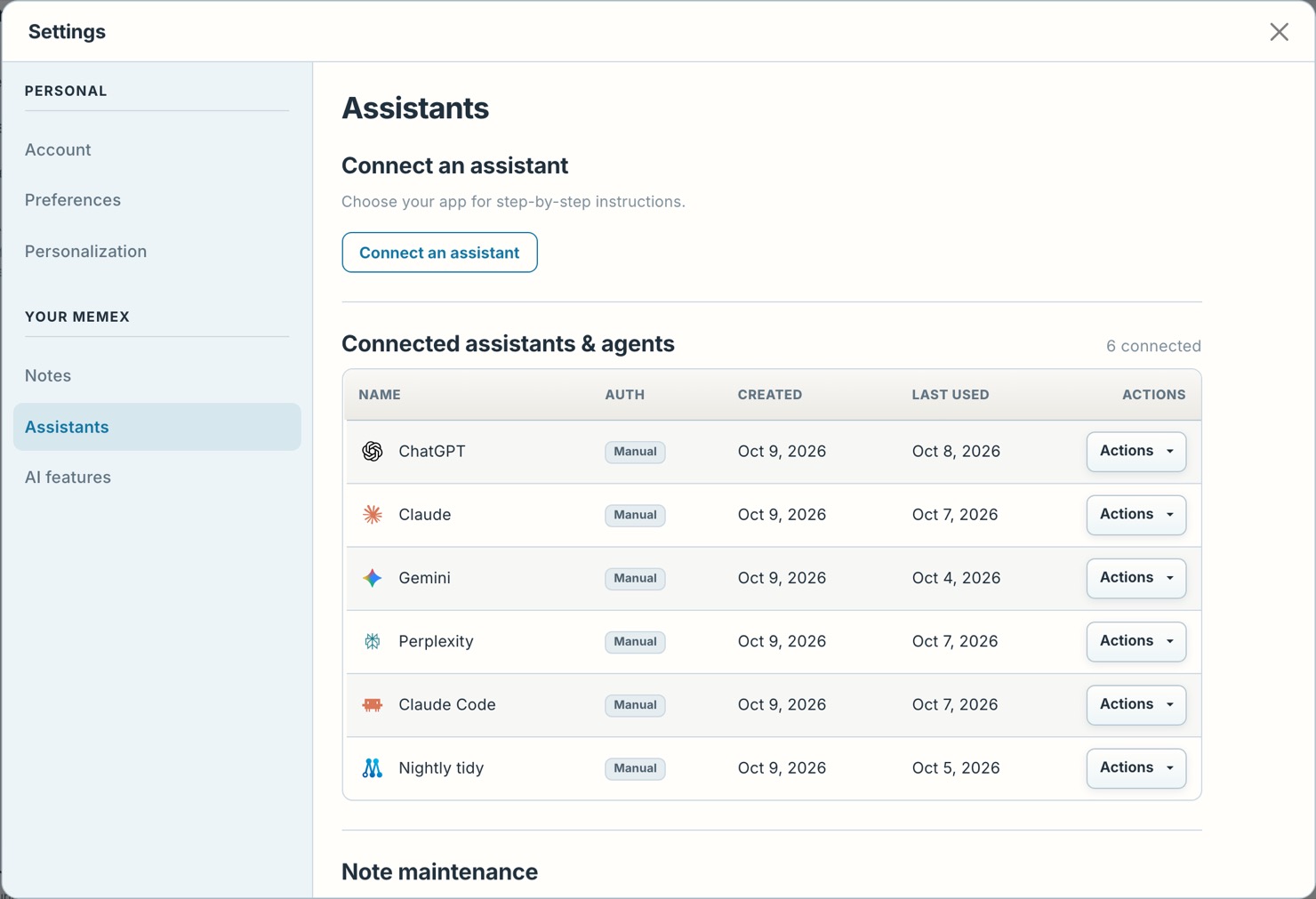
- Connect bothIn memex, open Settings › Assistants › Connect an assistant and follow the steps for ChatGPT, then for Claude. Both connect to the same memex.
- Save as you goAsk either one to save decisions and background to memex while you work.
- Pick up in the otherIn the other app, say “check memex first” and carry on where you left off.
In memex
An example
How it goes for Daniel
- Day one
Daniel has planned a gardening business with ChatGPT for a year, and now connects ChatGPT and Claude to the same memex.
Save what we’ve worked out about my prices and my regular clients to memex. - The next day
Daniel tries Claude for writing quotes. It starts from the prices ChatGPT saved.
Check memex for my prices, then write a quote for the Hill Street job. - That afternoon
Between jobs, on the phone, Daniel is back in ChatGPT.
I agreed a 5% discount with Hill Street. Update my client notes in memex. - Next morning
Back at the laptop, Claude already has the discount.
Check memex and write the Hill Street invoice.
What it looks like
Check memex. What did I decide with ChatGPT about my shop’s prices?
 Read from memex · Shop prices: the January increase
Read next
Do I lose what ChatGPT already knows?
Ask ChatGPT to write what matters into memex before you switch, project by project. From then on, Claude and every other AI you connect read it there.
Don’t take our word for it. Ask your AI.
I’m switching between ChatGPT and Claude, and I don’t want to lose what we’ve built up. Read https://memex.tools/llms-full.txt, the full description and documentation of memex.tools. Then tell me plainly whether memex would help with this, or whether what I already have is enough, and name one case where it wouldn’t fit. I’ll have follow-up questions.
 Ask ChatGPT
 Ask Claude